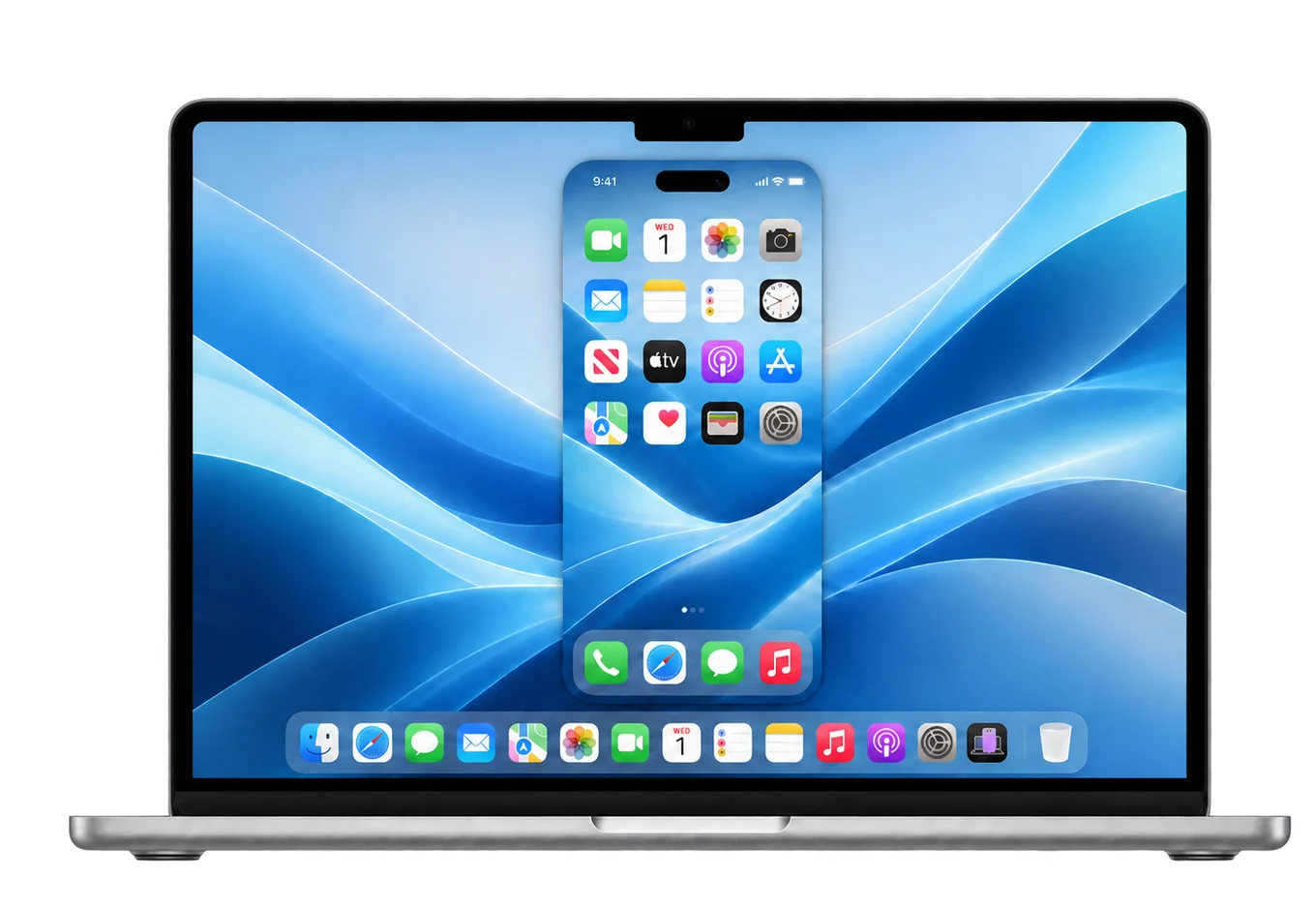
Your screen, in focus.A frameless view beside your work.
At home on your Mac.Native controls. Light or dark.
Your device. Your say.You approve trust and access.
YOUR INPUT. OUR NEXT STEP.
Would you use Glint?
Your iPhone, right where you work. Let us know if you’d like this on your Mac.
♡—votes of interest
Loading interest count…
↗ Native macOS⌁ USB + Wi-Fi video⌘ Native control, in progress+ Contributions welcome
01 — THE REASON
A border shouldn’t break the connection.
We started Glint because Apple’s iPhone Mirroring isn’t available in the European Union.
Using your own devices together shouldn’t mean changing your Apple Account country. We’re exploring a different path: USB and experimental live Wi-Fi mirroring with native control, in an app that feels at home on your Mac.
This is a work in progress, and we want to build it with people who care about the same thing.
From the EU to a US account? It’s more than a switch.
In the same thread, someone reports difficulty paying for Apple Music after trying a different account country, because their payment methods were from home.
One user in Spain reports that mirroring still returned a region error despite using a US App Store account, except immediately after restarting their Mac.
Another thread asks whether a third-party option could bring iPhone notifications to a Mac when the region restriction prevents using Apple’s mirroring.
Anonymous paraphrases of public posts, reviewed 22 October 2026. Generated illustrations are conceptual; payment and loading symbols do not describe a specific competing product. These are individual experiences, not Glint testimonials, a survey, or verified workaround instructions. Source links preserve context; linked pages may show usernames. Notification forwarding is not currently a Glint feature.
A DESK WITH ROOM FOR BOTH
THE SMALL EVERYDAY REASON
Keep your focus. Bring your phone.
Checking your phone shouldn’t have to pull you away from your desk. Glint brings its screen into the place where you’re already working.
01
One place to look.See your iPhone screen next to your Mac work, using USB or a paired Wi-Fi connection.
02
A familiar place to start.A native Mac app, with clear setup rather than a collection of terminal commands for basic mirroring.
03
A useful next step.We’re working toward dependable mouse and keyboard control. Today, that part is still experimental.
Concept illustration, not an app screenshot.
INSIDE GLINT — A CLOSER LOOK
01 — Devices · Choose a paired iPhone or set up USB
1 / 5
Current app captures · 24 October 2026
CAPTURED FROM GLINT. STILL EVOLVING.
See the flow. Know the next step.
Explore the current Devices screen, separate USB and Wi-Fi setup, and the wireless connection state. Four current app captures show the updated flow; a generated home-screen preview illustrates the mirrored display.
↔
One step at a time.
USB setup walks through Cable, Trust, Mac and Video. Wi-Fi has its own pairing and connection flow.
✓
Status with an explanation.
Devices distinguishes previously paired Wi-Fi phones from USB setup. Connecting stays visible while Glint waits for live video.
☼
Considered on your Mac.
Light and dark appearance, rounded controls and reduced-motion support. Accessibility and polish remain active contribution areas.
Prepare. Connect by USB, unlock and trust your Mac. Finish iOS and developer-service requirements.
Pair. Open Wi-Fi setup in Glint and choose Prepare pairing. Pairing does not install developer services.
Connect. Unplug USB, keep both devices on the same Wi-Fi and choose your phone’s Wi-Fi row.
Glint remembers your preferred connection and starts it when available. Stop and Cancel stay under your control.
No AirPlay or companion app. Wireless reliability is still being tested; USB remains available.
FOR USB CONTROL & WI-FI STREAMING
Set up once. Check each step.
Basic USB viewing skips this setup.
Connect and trust.
Connect your iPhone by USB, unlock it and tap Trust if asked.
Enable Developer Mode.
On iPhone: Settings → Privacy & Security → Developer Mode. Follow the restart and confirmation prompts.
Prepare the Mac components.
Follow the developer guide to prepare compatible Apple developer tools, an iPhone developer image and Glint’s native runtime. This development build does not install them for you.
Check readiness in Glint.
Open Connection settings → Set up this Mac. Resolve any missing items. For Wi-Fi, finish Prepare pairing before disconnecting USB.
Release and compatibility details will be shared here when the download is ready.
A FEW HONEST ANSWERS
Before you plug in.
Is this Apple’s iPhone Mirroring?+
No. Glint is an independent project using USB video, experimental live Wi-Fi streaming and native control. It is not affiliated with or endorsed by Apple, and it does not unlock Apple’s region-restricted feature.
What works today?+
USB viewing, live Wi-Fi streaming, device selection and guided setup are implemented. Wi-Fi and control remain experimental. Wi-Fi taps have been tested on a phone; swipe, lock recovery and long-session reliability need broader testing. USB control needs the native components and compatible developer services.
Does Wi-Fi work without AirPlay?+
Yes. Glint uses a paired developer-service video stream, not AirPlay. No companion iPhone app is required. Live Wi-Fi requires iOS 27+, Developer Mode, a compatible developer image and one-time trusted USB pairing. It remains experimental and is not a promise of USB-equivalent latency.
Can I touch, type or use Home?+
USB offers experimental mouse and keyboard control after native-control setup. Wi-Fi supports experimental taps and drag-to-swipe; keyboard, multi-touch and hardware buttons are not available over Wi-Fi. Unlock on the physical iPhone. Test control on your own device before relying on it.
Do I need to change my account country?+
Glint’s USB path does not ask you to change your Apple Account country. Your iPhone must be connected, unlocked and trusted, and you must approve macOS capture permission.
Can I download Glint yet?+
Not yet. We’re preparing a downloadable Mac app. This website will show the installer and release details when it is ready.
What about privacy and device access?+
USB uses a local cable; Wi-Fi uses an authenticated paired connection on your local network. Website visitor measurement can use Cloudflare Web Analytics on the public site. Local previews are excluded; no external fonts are loaded. Device pairing records, identifiers, credentials and local runtimes stay out of the source repository. Experimental control grants access to your phone: use it only on devices you own or are authorized to operate.